README
webflowAdapter
This adapter allows Webflow projects to use Statsig's features like Feature Gates to control the user experience and run A/B tests.
Instructions
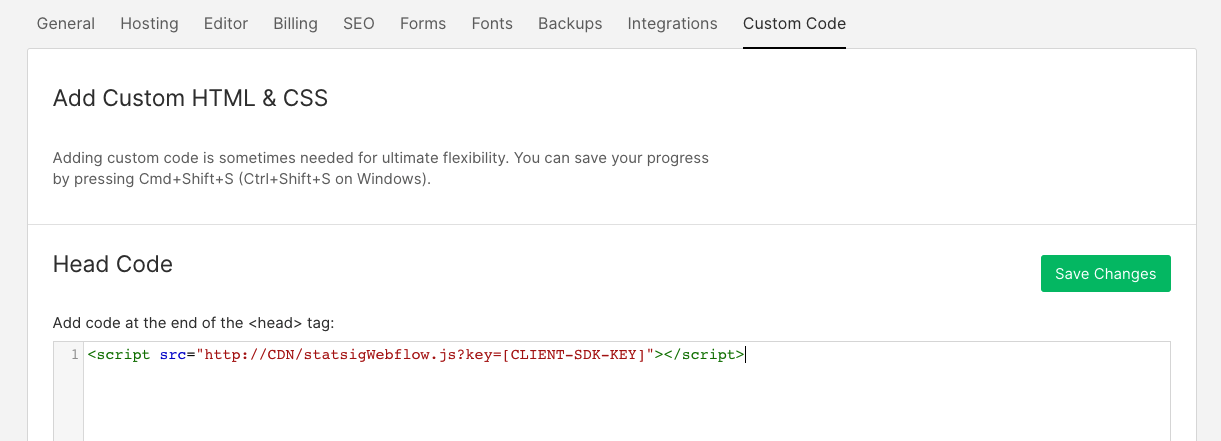
- Open Project Settings from the "W"/Hamburger menu on the top left of the designer.

- Choose Custom Code Tab and paste the following in there. Make sure to replace [CLIENT-SDK-KEY] with the right key that's available from your Statsig project settings.
<script src="http://CDN/statsigWebflow.js?key=[CLIENT-SDK-KEY]"></script>
- In the designer where you want to test two different user experiences, insert a Tab component

- Select the newly inserted Tab and in the Settings pane, add a Custom Attribute data-gateid and set the value to be the Feature Gate Id.

Now, add the controls in Tab 1 for the default experience, and Tab 2 for the new experience.
Test the page - changing the gate's targeting should be reflected in the experience when you refresh the page. The tab headers will be automatically hidden away.