README
react-flip-clock-countdown
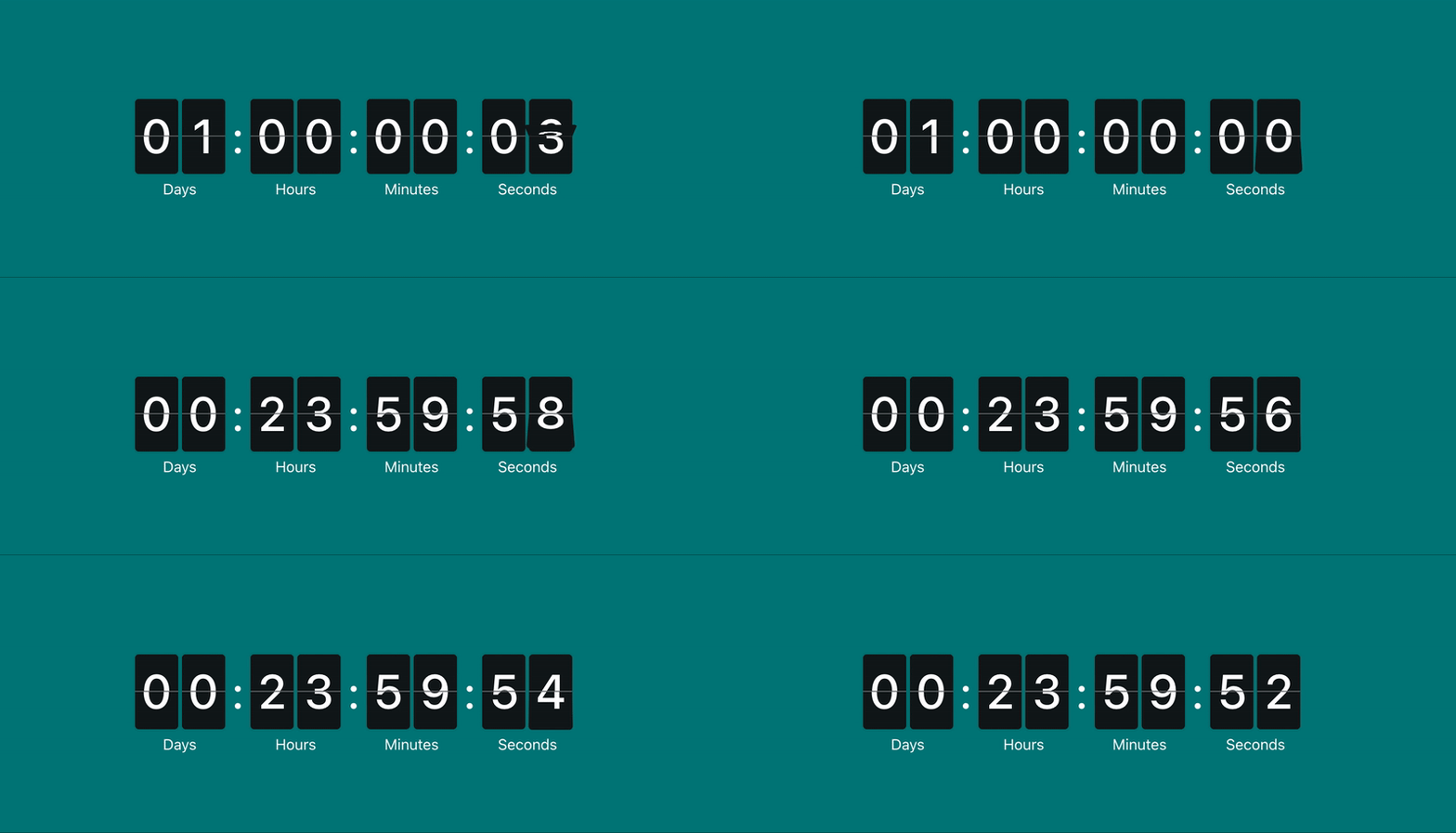
A 3D animated countdown component for React.


Install
npm install --save @leenguyen/react-flip-clock-countdown
Usage
Basic usage
import React, { Component } from 'react';

import FlipClockCountdown from '@leenguyen/react-flip-clock-countdown';
import '@leenguyen/react-flip-clock-countdown/dist/index.css';

class Example extends Component {
  render() {
    return <FlipClockCountdown to={new Date().getTime() + 24 * 3600 * 1000 + 5000} />;
  }
}
Render a React Component when countdown is complete
In case you want to change the output of the component, or want to signal that the countdown's work is done, you can do this by either using the onComplete callback or by specifying a React child within <FlipClockCountdown></FlipClockCountdown>, which will only be shown once the countdown is complete.
import React, { Component } from 'react';

import FlipClockCountdown from '@leenguyen/react-flip-clock-countdown';
import '@leenguyen/react-flip-clock-countdown/dist/index.css';

class Completed extends Component {
  render() {
    return <span>The countdown is complete</span>
  }
}

class RenderByUsingReactChild extends Component {
  render() {
    return (
      <FlipClockCountdown to={new Date().getTime() + 24 * 3600 * 1000 + 5000}>
        <Completed />
      </FlipClockCountdown>;
    )
  }
}

class RenderByUsingCallback extends Component {
  constructor(props) {
    super(props);

    this.endTime = new Date().getTime() + 24 * 3600 * 1000 + 5000;
    this.state = {
      isCompleted: false
    }

    this.handleComplete = this.handleComplete.bind(this);
  }

  handleComplete() {
    this.setState({ isCompleted: true });
  }

  render() {
    return (
      <React.Fragment>
        {isCompleted && <Completed />}
        <FlipClockCountdown onComplete={this.handleComplete} to={this.endTime} />
      </React.Fragment>
    )
  }
}
Render a countdown with custom styles
import React, { Component } from 'react';

import FlipClockCountdown from '@leenguyen/react-flip-clock-countdown';
import '@leenguyen/react-flip-clock-countdown/dist/index.css';
import 'styles.css';

class Example extends Component {
  render() {
    return <FlipClockCountdown className='flip-clock' to={new Date().getTime() + 24 * 3600 * 1000 + 5000} />;
  }
}
/* styles.css */

.flip-clock {
  --fcc-flip-duration: 0.5s; /* transition duration when flip card */
  --fcc-digit-block-width: 40px; /* digit card's width */
  --fcc-digit-block-height: 64px; /* digit card's height */
  --fcc-digit-font-size: 50px; /* font size of digit */
  --fcc-digit-color: white; /* color of digit */
  --fcc-background: black; /* digit card's background */
  --fcc-label-color: #ffffff; /* time label's color */
  --fcc-divider-color: #ffffff66; /* divider's color */
}
Props
| Name | Type | Required | Default | Description |
|---|---|---|---|---|
| to | Date|string|number |
yes | Date or timestamp in the future |
|
| className | string |
no | undefined |
Classes applied to flip clock container |
| containerProps | object |
no | undefined |
Props applied to the flip clock container |
| children | node |
no | undefined |
React child component which will only be shown once the countdown is complete |
| onComplete | func |
no | Callback when countdown ends Signature: function() => void |
|
| onTick | func |
no | Callback on every interval tick Signature: function({ timeDelta, completed }) => void- timeDelta: { total: number, days: number, hours: number, minutes: number, seconds: number} the remaining time in formatted - completed: boolean countdown's state |
to
The to prop can be a Date object, string, or timestamp in the future. This date is compared with the current date.
Valid values can be (and more):
'2022-02-08T14:27:32.635Z'//Datetime string format1644330452635// Timestamp in millisecondsnew Date(1644330452635)//Dateobject
className
Class names applied to flip clock container element. Use it to custom flip-clock's styles. See example
containerProps
HTMLDivElement's props
children
This component also considers the child that may live within the <FlipClockCountdown></FlipClockCountdown> element, which, in case it's available, replaces the countdown's component state once it's complete. See example.
onComplete
Callback when countdown ends.
function() => void
See example.
onTick
Callback on every interval tick.
function({ timeDelta, completed }) => void
timeDelta: { total: number, days: number, hours: number, minutes: number, seconds: number}- the remaining time in formatted.completed: boolean- countdown's state.
Contributing
The package is made up of 2 main folders:
/srccontains the FlipClockCountdown/exampleis our create-react-app based demo website
To setup and run a local copy:
- Clone this repo with
https://github.com/sLeeNguyen/react-flip-clock-countdown - Run
npm installin the root folder - Run
npm installin the example folder - In seperate terminal windows, run
npm startin the root and example folders.
When you're done working on your changes, feel free to send PRs with the details and include a screenshot if you've changed anything visually.
License
MIT © leenguyen